SuperLayer: changing the Display size at runtime
It is possible to update the size of displays at runtime.
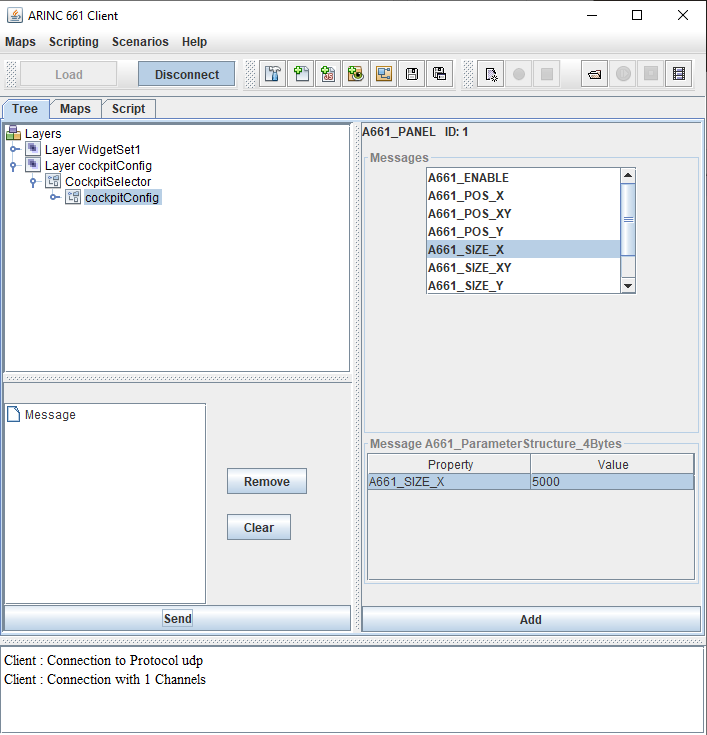
At runtime, it is possible to set the "A661_SIZE_X" and "A661_SIZE_Y" properties of the display to change its size:
If we start the client and set the X and Y size to 5000:
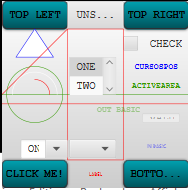
We have the following result:
Overview
The display element has the following attributes:- "name" of the display (mandatory)
- "id" of the display (int value, optional)
- "width" and "height" of the display (optional)
- "refWidth" and "refWeight" of the display (optional)
- "x" and "y" of the display (optional)
- "defaultLayout": the default Layout name (optional)
- "isTransparent": indicates if the display is transparent (overrides the
configs"isTransparent" property) - "isAlwaysOnTop": true if the display is on top of other windows on the desktop (overrides the
configs"isAlwaysOnTop" property)
- The display element has the "refWidth" and "refWeight" attributes
- The configs element "displayType" attribute has the "panel" value
Configuration example
      <configs border="255,255,255" borderWidth="3" displayType="panel">
         <display id="1" name="display" refWidth="15000" refHeight="10000" defaultLayout="layout1">
            <layout name="layout1">
               <window name="Window1" >
                  <layer layerID="5" />
               </window>
            </layout>
            <layout name="layout2">
               <window name="Window1" type="oneOf">
                  <layer layerID="5" />
                  <layer layerID="6" />
               </window>
            </layout>
         </display>
      </configs>
Runtime
The "refWidth" and "refWeight" attributes specify the reference size of the display. The "width" and "height" attributes (if they are present) specify the current size of the display.At runtime, it is possible to set the "A661_SIZE_X" and "A661_SIZE_Y" properties of the display to change its size:
- The size of the display window will be updated
- The content of ther display will be scaled to fit the display window"
Example
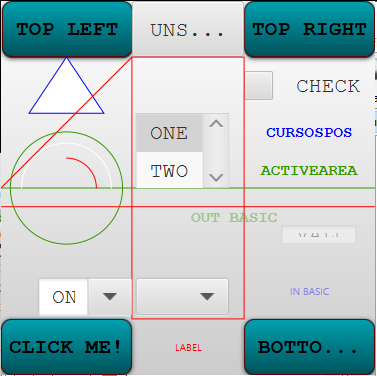
Suppose the following cockpit configuration:<cockpit appliID="1" layerID="1"> <DFFiles> <df path="ARINC_WidgetSet1.xml" /> <cockpitDF path="superLayer.xml" /> </DFFiles> <windows> <windowDef name="Window" width="10000" height="10000" x="0" y="0"/> </windows> <configs border="255,255,255" borderWidth="3" displayType="panel" decorated="false"> <display id="1" name="simple" refWidth="10000" refHeight="10000" defaultLayout="1" > <layout name="layout" id="1"> <window name="Window"> <layer layerID="56" /> </window> </layout> </display> </configs> </cockpit>If we start the server, we have the following result:
If we start the client and set the X and Y size to 5000:
We have the following result:
See also
- SuperLayer: The SuperLayer concept is a generalized method to define and manage Layers and Windows in a Cockpit
- SuperLayer configuration structure: This article describes the structure of an XML SuperLayer configuration
- SuperLayer Window Manager: A SuperLayer Window Manager is a J661 Window Manager which implements the ARINC 661 notion of the SuperLayer
- Specifying a Superlayer cockpit configuration: This tutorial explains how to specify and use a Superlayer cockpit configuration
×
![]()
Categories: cockpit | server | user